

It starts!
UI’s all over the place, and I’m trying to figure how to confirm the character creation, but to quote a certain movie, “an absolute win!”
Tbf, I didn’t know what to expect when trying to run #Starbound on a #RasperryPi 5 with #Android, but glad it is responsive!
TARBOUN
Wooooooooooooooooooooo! Let’s fucking go!
You/yall might wanna change the workerPoolThread if you/yall have a cpu with mpre than 2 threads. You can find the file in Android/data sbinit.config
For the UI, you can adjust it feom settings + it relies on resolution too. You/yall might wanna toggle Fullscreen too.
Uhhh for the sbinit.conf you/yall might have to edit the file outside the android device, and then copy it to the folder. Our device removes the file if it detects a change, but accepts it when it’s copied to 🥴
Have funnn!
Reminds me I forgot to keep testing. 😶
On the RPi, I just did a very quick test as I suspected the issue may have been DPI, and lo and behold, upon putting the minimum DPI on Android:
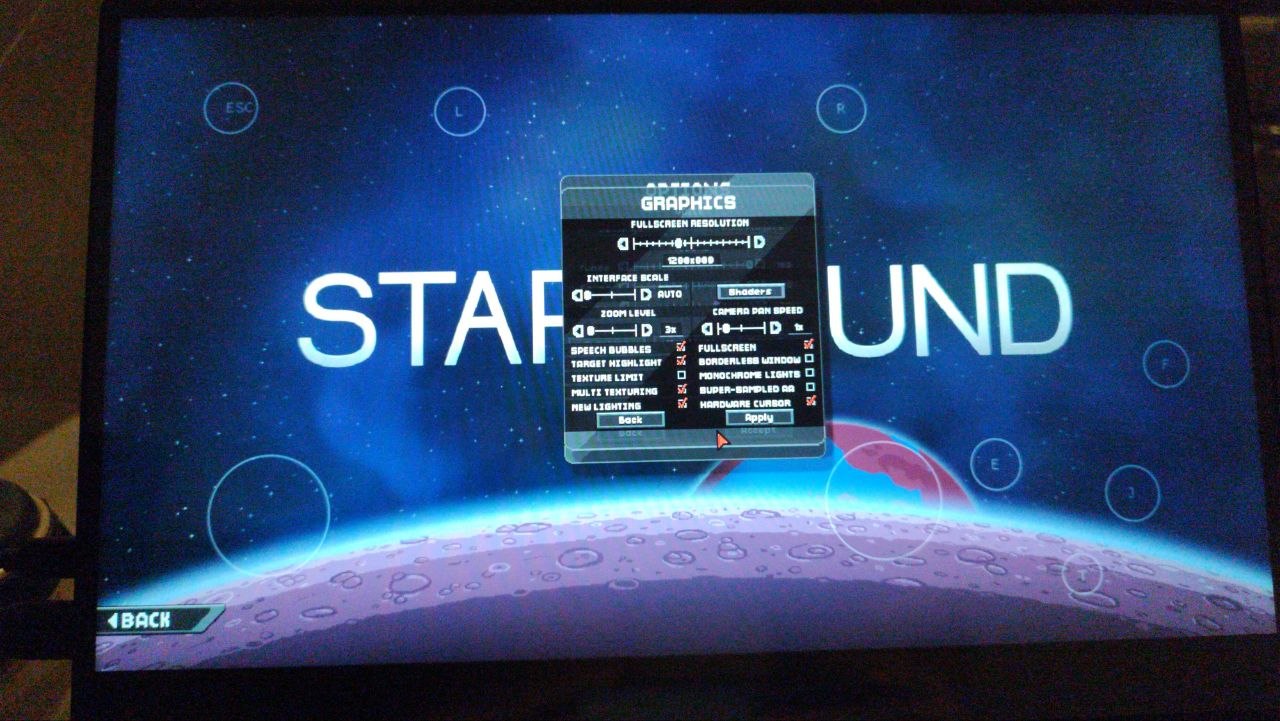
Apparently it’s a native setting since Nougat, though going by a quick search and what I observed, the names may change depending on the version.
On Android 16, KonstaKANG’s vanilla build:
Settings > Display size and text > Display size > drag as much to the left as you needAlso on Starbound, you can further edit your DPI settings through Options > Graphics > Interface scale, the “auto” setting being somewhere around 1.25 and 1.5.
Hell yea!!!
it’s fully functional with mods too! :D
Also if you plan to hook up a keyboard to this, you’ll need to edit the keybinds also found in Android/data
Thanks to RohanBhattacharyya for the project: https://github.com/RohanBhattacharyya/oSBM
And to @elomekra@lemmy.blahaj.zone for finding about it: https://thebrainbin.org/m/starbound@lemmy.ml/t/1762288


