• 7 Posts
  • 38 Comments
Joined 2 years ago
cake
Cake day: November 3rd, 2023

help-circle
  • These comments are all so aggressive, let me try answering this in a less rude way.

    App is short for application, at the end of the day no matter where you install an app from an app is a packaged chunk of software meant to accomplish a task. Microsoft word is an app, chrome is an app, flappy bird is an app, calculator is an app, any “program” that you launch is an app.

    Now where the waters get muddy is app stores. App stores such as the apple store or Google play are apps specifically built to help you install other apps. The intent of these is to provide users a safe location they can search for other apps and install them without fear of viruses and receive updates automatically. Windows and Linux have their own app stores too, the windows store, though sad and decrepit is supposed to provide the same assurances as Mac’s app store.

    Now can you use the computer without apps? Yes! Your computer just won’t do much since you’ve forgone your calculator, games, and any other purpose built software you might have installed.

    Can you use the computer without the “app store”? Yes! You can install the application from anywhere, it doesn’t need to be the app store. Apple and Google get a cut of the money made by apps sold on the app store. Because of this they are incentives to discourage users from installing apps from elsewhere. They’ve called installing apps from elsewhere “side loading” in order to make it sound scary and not normal but it is in fact the normal way we have been installing apps since before these app stores arrived.

    The last type of app I want to call out because it’s a bit different. Web apps are apps you can use by going to a web page. These apps are installed on someone else’s computer and you get to use it when you open the page. It’s still an app, you just don’t have to install it. There are special types of computers (for example. Chromebooks) that are built around these types of apps.

    Hope this helps!


  • I looked up PSI seminars because of this post. I’d say that this is probably not an employer you want to work for.

    I don’t know your industry or background; my industry is software but my advice should be the same for other industries as well.

    Finding a job sucks even if you have 100 years industry experience right now. Apply to as many jobs as you can starting with jobs you want most and slowly circle outward toward less and less appealing jobs.

    Load the top of your resume with industry specific keywords. Most hiring firms are overloaded with the number of applicants for every position and turn to a system called ATS (applicant tracking system). ATS is a robot that looks at your resume and throws it out if it doesn’t have the keywords they are looking for. This reduces the pile of applications from thousands to hundreds.

    After that it’s on to HR. A recruiter will then look at your resume and see if it’s a good match for the listing. The problem here is that the recruiter doesn’t have the knowledge required to verify the claims. This is how we get job listings requiring 20 years experience with something that’s only been around for 4. Plausibly tie the keywords in your resume to some experience from your past. Don’t have any? That’s okay! Work on it right now and when asked about it explain how this was self directed learning and growth.

    After the recruiter, your resume is passed on to an employee who actually knows the position (hopefully!). I won’t lie, at this stage you actually need to know what you are talking about. Assuming your resume isn’t completely fictitious, you should have the background needed to CRAM for the interview at this point. Do that. The hardest part is getting your foot in the door. If it doesn’t work out just keep trying, it does eventually.

    Again, the market sucks right now. Both employee and employer are drowning during the hiring process due to AI. The only real way to get your resume through is to “spray and pray”. Apply to lots, put in enough work to have a matching resume but don’t break your back trying to craft the perfect resume or cover letter.

    Wishing you luck, and I 100% think you got labeled as the “out group” during the PSI basic seminar, not related to taking sick time.

    • A technical interviewer

  • This is for my personal business prelaunch. I’m particularly interested in the “illegitimate” traffic. I have a suite of telemetry infrastructure to analyze incoming traffic and want to see what it produces before I don’t have the option to “turn off the traffic” because I’m not the one causing it.

    I can outsource things like ddos protection to my cdn provider, but that would still be just kinda hoping I didn’t have any attackable surface I didn’t think of prelaunch.


  • looks like it is.

    ii  libvulkan1:amd64                        1.3.280.0-1pop1~1722439676~22.04~a41a7d6                     amd64        Vulkan loader library
    ii  libvulkan1:i386                         1.3.280.0-1pop1~1722439676~22.04~a41a7d6                     i386         Vulkan loader library
    ii  mesa-vulkan-drivers:amd64               24.0.3-1pop1~1711635559~22.04~7a9f319                        amd64        Mesa Vulkan graphics drivers
    ii  mesa-vulkan-drivers:i386                24.0.3-1pop1~1711635559~22.04~7a9f319                        i386         Mesa Vulkan graphics drivers
    ii  vulkan-tools                            1.3.204.0+dfsg1-1                                            amd64        Miscellaneous Vulkan utilities
    ➜  ~ 
    

    The whole log is too large for lemmy, but here is a pastebin link: https://pastebin.com/sxU2QYTc

    System76 is advising I go full nuclear and reinstall from recovery partition, which I don’t really think would fix anything and I’m hesitant to do.


  • Well, back at it again. Tried ProtonGE with the same results. But the vulkan logs are interesting!

    cat ~/steam-220200.log | grep err

    err:   Presenter: Failed to create Vulkan swapchain: VK_ERROR_INITIALIZATION_FAILED
    err:   Presenter: Failed to create Vulkan swapchain: VK_ERROR_INITIALIZATION_FAILED
    err:   Presenter: Failed to create Vulkan swapchain: VK_ERROR_INITIALIZATION_FAILED
    err:   Presenter: Failed to create Vulkan swapchain: VK_ERROR_INITIALIZATION_FAILED
    err:   Presenter: Failed to create Vulkan swapchain: VK_ERROR_INITIALIZATION_FAILED
    err:   Presenter: Failed to create Vulkan swapchain: VK_ERROR_INITIALIZATION_FAILED
    

    EDIT: more context

    info:  Presenter: Actual swapchain properties:
    info:    Format:       VK_FORMAT_B8G8R8A8_SRGB
    info:    Color space:  VK_COLOR_SPACE_SRGB_NONLINEAR_KHR
    info:    Present mode: VK_PRESENT_MODE_IMMEDIATE_KHR (dynamic: no)
    info:    Buffer size:  1920x1080
    info:    Image count:  4
    err:   Presenter: Failed to create Vulkan swapchain: VK_ERROR_INITIALIZATION_FAILED


    It’s filled with this error. The entire log is massive I cant even upload it to pastebin. If you want me to search for something specific lmk or how I can supply the entire log.

    EDIT2: also found:

    99664.262:00d4:00d8:err:xrandr:xrandr14_get_adapters Failed to get adapters
    
    99670.682:0180:0184:err:ole:com_get_class_object class {82c5ab54-c92c-4d52-aac5-27e25e22604c} not registered
    99670.683:00e8:033c:warn:threadname:NtSetInformationThread Thread renamed to L"wine_rpcrt4_io"
    99670.683:0180:0184:err:ole:create_server class {82c5ab54-c92c-4d52-aac5-27e25e22604c} not registered
    99670.684:0180:0184:fixme:ole:com_get_class_object CLSCTX_REMOTE_SERVER not supported
    99670.684:0180:0184:err:ole:com_get_class_object no class object {82c5ab54-c92c-4d52-aac5-27e25e22604c} could be created for context 0x15


  • Well I’ve installed BG3 just for the sake of testing and the DX11 launch results in a black screen. The Vulkan launch options crashing immediately…

    Here is my steam logs when launching KSP I think the only thing of interest is this:

    pressure-vessel-wrap[42106]: W: "opt/amdgpu/share/libdrm" is unlikely to appear in "/run/host"
    pressure-vessel-wrap[42106]: W: "opt/amdgpu/share/drirc.d" is unlikely to appear in "/run/host"
    
    Adding process 42106 for gameID 220200
    Adding process 42107 for gameID 220200
    pressure-vessel-wrap[42106]: I: pv_runtime_provide_container_access: Setting up runtime without using bwrap
    pressure-vessel-wrap[42106]: I: EGL ICD #0 at /usr/share/glvnd/egl_vendor.d/50_mesa.json: libEGL_mesa.so.0
    pressure-vessel-wrap[42106]: I: Vulkan ICD #0 at /usr/share/vulkan/icd.d/intel_hasvk_icd.i686.json: /usr/lib/i386-linux-gnu/libvulkan_intel_hasvk.so
    pressure-vessel-wrap[42106]: I: Vulkan ICD #1 at /usr/share/vulkan/icd.d/radeon_icd.x86_64.json: /usr/lib/x86_64-linux-gnu/libvulkan_radeon.so
    pressure-vessel-wrap[42106]: I: Vulkan ICD #2 at /usr/share/vulkan/icd.d/intel_icd.x86_64.json: /usr/lib/x86_64-linux-gnu/libvulkan_intel.so
    pressure-vessel-wrap[42106]: I: Vulkan ICD #3 at /usr/share/vulkan/icd.d/virtio_icd.i686.json: /usr/lib/i386-linux-gnu/libvulkan_virtio.so
    pressure-vessel-wrap[42106]: I: Vulkan ICD #4 at /usr/share/vulkan/icd.d/intel_icd.i686.json: /usr/lib/i386-linux-gnu/libvulkan_intel.so
    pressure-vessel-wrap[42106]: I: Vulkan ICD #5 at /usr/share/vulkan/icd.d/radeon_icd.i686.json: /usr/lib/i386-linux-gnu/libvulkan_radeon.so
    pressure-vessel-wrap[42106]: I: Vulkan ICD #6 at /usr/share/vulkan/icd.d/intel_hasvk_icd.x86_64.json: /usr/lib/x86_64-linux-gnu/libvulkan_intel_hasvk.so
    pressure-vessel-wrap[42106]: I: Vulkan ICD #7 at /usr/share/vulkan/icd.d/lvp_icd.i686.json: /usr/lib/i386-linux-gnu/libvulkan_lvp.so
    pressure-vessel-wrap[42106]: I: Vulkan ICD #8 at /usr/share/vulkan/icd.d/virtio_icd.x86_64.json: /usr/lib/x86_64-linux-gnu/libvulkan_virtio.so
    pressure-vessel-wrap[42106]: I: Vulkan ICD #9 at /usr/share/vulkan/icd.d/lvp_icd.x86_64.json: /usr/lib/x86_64-linux-gnu/libvulkan_lvp.so
    pressure-vessel-wrap[42106]: I: Vulkan explicit layer #0 at /usr/share/vulkan/explicit_layer.d/VkLayer_INTEL_nullhw.json: libVkLayer_INTEL_nullhw.so
    pressure-vessel-wrap[42106]: I: Vulkan explicit layer #1 at /usr/share/vulkan/explicit_layer.d/VkLayer_MESA_overlay.json: libVkLayer_MESA_overlay.so
    pressure-vessel-wrap[42106]: I: Vulkan implicit layer #0 at /home/zamithal/.local/share/vulkan/implicit_layer.d/steamfossilize_i386.json: /home/zamithal/.steam/debian-installation/ubuntu12_32/libVkLayer_steam_fossilize.so
    pressure-vessel-wrap[42106]: I: Vulkan implicit layer #1 at /home/zamithal/.local/share/vulkan/implicit_layer.d/steamfossilize_x86_64.json: /home/zamithal/.steam/debian-installation/ubuntu12_64/libVkLayer_steam_fossilize.so
    pressure-vessel-wrap[42106]: I: Vulkan implicit layer #2 at /home/zamithal/.local/share/vulkan/implicit_layer.d/steamoverlay_i386.json: /home/zamithal/.steam/debian-installation/ubuntu12_32/steamoverlayvulkanlayer.so
    pressure-vessel-wrap[42106]: I: Vulkan implicit layer #3 at /home/zamithal/.local/share/vulkan/implicit_layer.d/steamoverlay_x86_64.json: /home/zamithal/.steam/debian-installation/ubuntu12_64/steamoverlayvulkanlayer.so
    pressure-vessel-wrap[42106]: I: Vulkan implicit layer #4 at /usr/share/vulkan/implicit_layer.d/VkLayer_MESA_device_select.json: libVkLayer_MESA_device_select.so
    pressure-vessel-wrap[42106]: I: Capturing glvnd loadable module #0: /usr/share/glvnd/egl_vendor.d/50_mesa.json
    pressure-vessel-wrap[42106]: I: Checking for implementation on x86_64-linux-gnu: libEGL_mesa.so.0
    pressure-vessel-wrap[42106]: I: Captured glvnd loadable module #0: /usr/share/glvnd/egl_vendor.d/50_mesa.json
    pressure-vessel-wrap[42106]: I: Implementation on x86_64-linux-gnu: SONAME
    pressure-vessel-wrap[42106]: I: Capturing vulkan loadable module #0: /usr/share/vulkan/icd.d/intel_hasvk_icd.i686.json
    pressure-vessel-wrap[42106]: I: Checking for implementation on x86_64-linux-gnu: /usr/lib/i386-linux-gnu/libvulkan_intel_hasvk.so
    pressure-vessel-wrap[42106]: I: Capturing vulkan loadable module #1: /usr/share/vulkan/icd.d/radeon_icd.x86_64.json
    pressure-vessel-wrap[42106]: I: Checking for implementation on x86_64-linux-gnu: /usr/lib/x86_64-linux-gnu/libvulkan_radeon.so
    pressure-vessel-wrap[42106]: I: Capturing vulkan loadable module #2: /usr/share/vulkan/icd.d/intel_icd.x86_64.json
    pressure-vessel-wrap[42106]: I: Checking for implementation on x86_64-linux-gnu: /usr/lib/x86_64-linux-gnu/libvulkan_intel.so
    pressure-vessel-wrap[42106]: I: Capturing vulkan loadable module #3: /usr/share/vulkan/icd.d/virtio_icd.i686.json
    pressure-vessel-wrap[42106]: I: Checking for implementation on x86_64-linux-gnu: /usr/lib/i386-linux-gnu/libvulkan_virtio.so
    pressure-vessel-wrap[42106]: I: Capturing vulkan loadable module #4: /usr/share/vulkan/icd.d/intel_icd.i686.json
    pressure-vessel-wrap[42106]: I: Checking for implementation on x86_64-linux-gnu: /usr/lib/i386-linux-gnu/libvulkan_intel.so
    pressure-vessel-wrap[42106]: I: Capturing vulkan loadable module #5: /usr/share/vulkan/icd.d/radeon_icd.i686.json
    pressure-vessel-wrap[42106]: I: Checking for implementation on x86_64-linux-gnu: /usr/lib/i386-linux-gnu/libvulkan_radeon.so
    pressure-vessel-wrap[42106]: I: Capturing vulkan loadable module #6: /usr/share/vulkan/icd.d/intel_hasvk_icd.x86_64.json
    pressure-vessel-wrap[42106]: I: Checking for implementation on x86_64-linux-gnu: /usr/lib/x86_64-linux-gnu/libvulkan_intel_hasvk.so
    

  • So steam play was already enabled, it looks like it defaults to "steam Linux runtime 1.0 (scout). When I select different versions of proton runtime I get different behavior dependig on which one I select.

    Proton 9 says that it cannot switch to my monitors resolution,

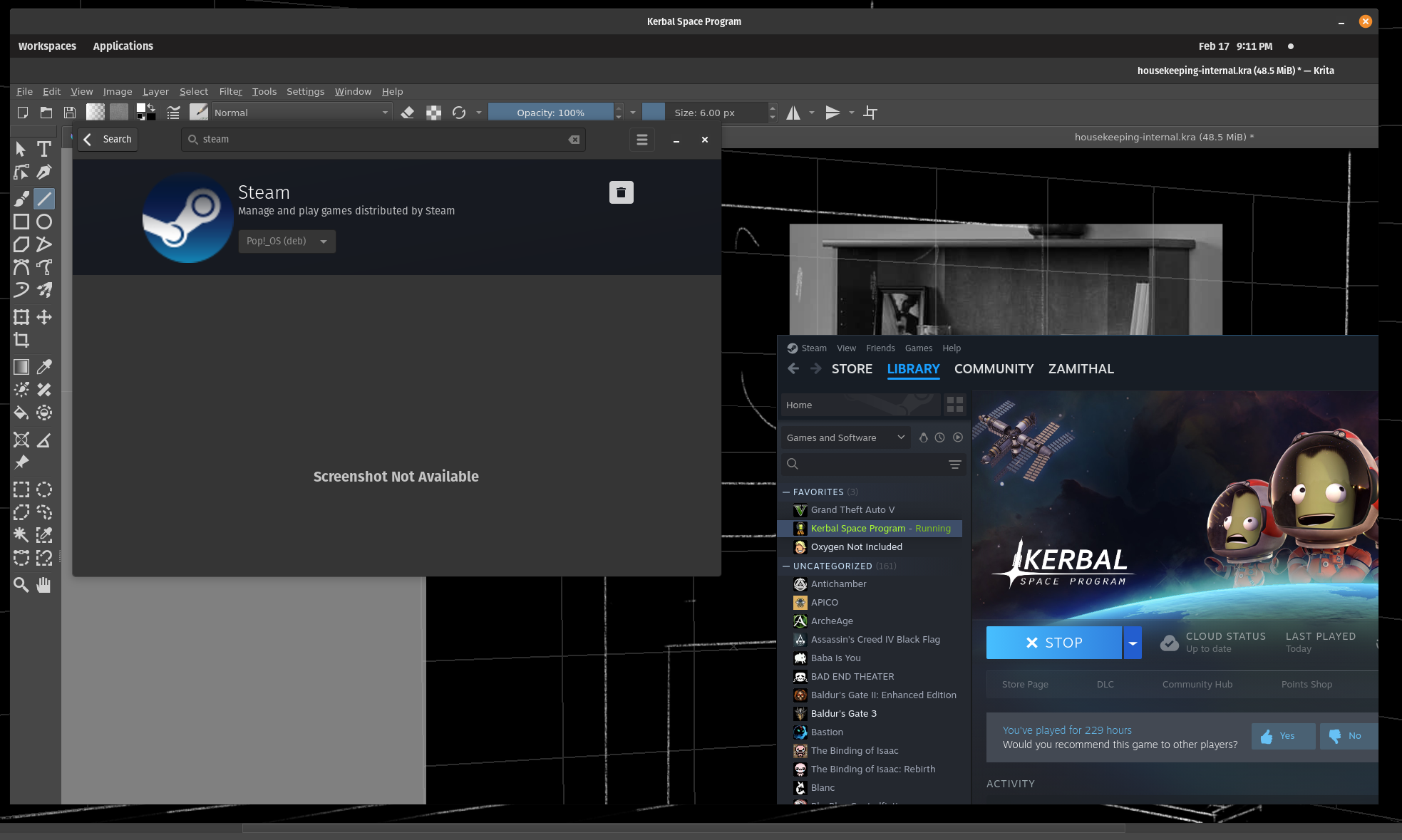
    Proton experimental and hot fix launch the game (I can hear it!), but things are … Weird. It only renders the windows behind it and the custom game cursor. When I alt enter to bring it into Windows mode, it’s still just the windows/desktop that would be behind the game but now it’s scaled differently.

    EDIT:

    It’s hard to tell but the above screenshot is the game window


  • My goal for this system was to eject windows from my life prior to the launch of Windows recall. That and host a bunch of docker containers in an environment more reliable than windows. I got impatient waiting for cosmic to reach full support, but still wanted to go with the distro system76 ships as “theirs” as opposed to putting Ubuntu on their hardware. I haven’t checked if cosmic is officially out yet but will likely switch over when it is. I’m a novice with Linux btw. I can use it to host and run my software but wanted a prepackaged solution for my devbox so that I have a much lower chance of breaking it. Also things like my Wacom tablet just worked out of the box, which is all big plus.